
A half-finished calculation can be more useful on screen than a perfect answer. With a smart document camera, a teacher can pause at the difficult step and ask the class what should happen next. That is one practical use for a classroom document camera: giving everyone access to the same piece of work while there is still something to discuss.
The activity needs a question as well as an image. “What can you see?” may start a conversation, but a more specific prompt tells pupils where to direct their attention. Ask them to locate a changed sign, identify a detail that supports an interpretation, or suggest where an explanation becomes unclear. Their answers determine whether to move on or stay with the example.
There is no need to redesign an entire lesson around the camera. Choose one point where pupils would otherwise struggle to see the material. Prepare that example, decide when to reveal it, and leave the rest of the lesson in its familiar form. The following activities show how that small change can work across different subjects.
Classroom document camera: work through a mistake
In mathematics, write a short solution on paper and leave a plausible error for pupils to examine. Tell them that the example contains a mistake, then give them time to find it independently before taking answers. A quick show of hands can reveal who has a suggestion without allowing the first confident speaker to settle the question for everyone.
Ask a pupil to point out the line where the reasoning changes, not simply announce that the answer is wrong. Another pupil can explain why that line needs attention. Make the correction on the original sheet so that the class can compare the two versions. Keeping the earlier work visible makes the discussion about reasoning rather than guessing the teacher’s preferred answer.
The same approach works when modelling a written explanation. Start with a sentence that leaves out an important connection and invite the class to supply it. Read the revised version aloud. If the meaning is still unclear, change the wording again rather than treating the first edit as a finished product.
Keep the discussion focused:
- Allow quiet thinking time before inviting a correction.
- Ask for the reason behind the change, not just a replacement answer.
- Leave enough of the original example visible to make the comparison possible.
Document camera for classroom: read a shared example
For a shared reading activity, display the page the class will discuss. Select a short passage with a clear purpose. Pupils might trace how a character’s attitude changes or find the phrase that supports a prediction. They should know which question they are answering before the teacher starts moving around the page.
Begin with enough of the page visible to establish where the passage sits. Then focus on the relevant lines. If pupils need the preceding sentence to understand a pronoun or a reference, return to it. Moving between detail and context should follow the reading question, rather than become a demonstration of the camera’s controls.
Annotation can happen on the paper itself. Underline one phrase, circle a connecting word, or add a short note beside a sentence while explaining the choice. Use a copy that can be marked when the original must remain untouched. Pupils can propose a different annotation and explain what their choice would draw attention to.
For a brief independent follow-up, give pupils another passage and ask them to find comparable evidence. This separates understanding from imitation: they must decide which words matter in a new example, rather than repeat the marking they have just watched. Return to the shared page only where a particular difficulty needs clarification.
Classroom document camera: move from observing to doing
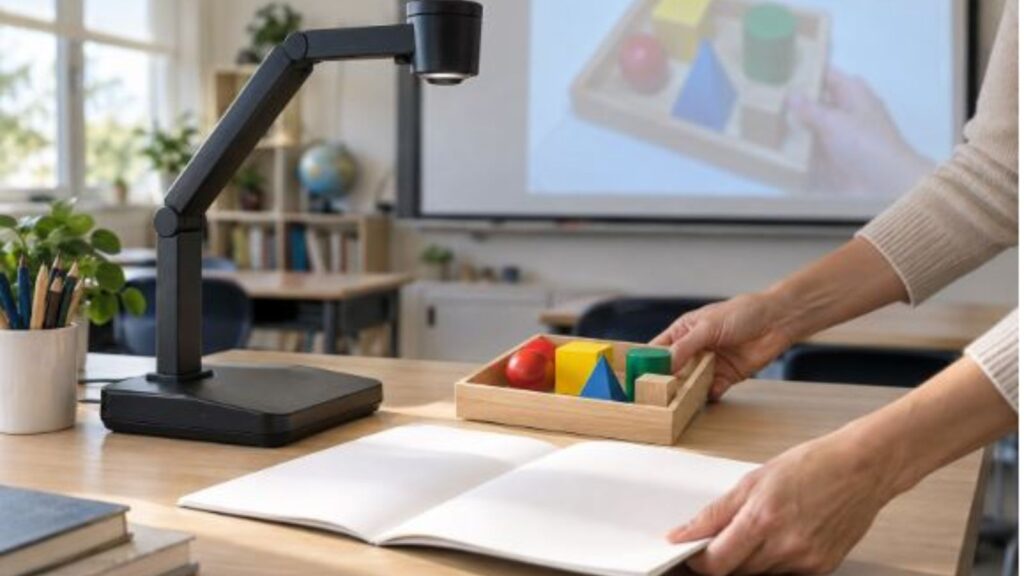
Observation becomes more demanding when pupils must use what they noticed. During a practical activity, show a small object or a stage in a process, ask for a prediction, and then reveal the next stage. Keep claims tied to what the class can actually see. An enlarged view can support careful description, but it does not explain a process by itself.
Separate instructions that pupils need before starting from details they can revisit while working. For example, demonstrate how to arrange materials, then leave the completed arrangement available as a reference while groups begin. Check the view before relying on it: hands, sleeves and nearby objects can obscure the part the class needs to see.
Prepare the transition away from the screen as carefully as the demonstration. Put the next materials within reach and tell pupils whether they should watch, listen or begin their own work. If the teacher keeps changing the image while giving instructions, pupils may be unsure which demand takes priority. A clear pause between those stages is often useful.
- Show the part of the task that needs a shared explanation.
- Ask pupils to state the first action they will take themselves.
- Move to independent or group work once that action is clear.
Visualizer document camera: discuss student work fairly
A visualizer document camera can make student work available for discussion without requiring everyone to gather around one desk. Choose the purpose before selecting a piece: perhaps the class needs to compare two ways of explaining an answer, or see how a draft can be improved. Do not choose work simply because it looks the neatest.
Remove names and other identifying details where appropriate, and agree with pupils how their work will be used. Frame the discussion around the work rather than the person. “Where does this explanation become difficult to follow?” invites a different response from “What did this pupil get wrong?” The teacher can model the kind of specific, respectful comment expected from the group.
Give pupils time to read the example before asking for feedback. Invite a comment about something that communicates clearly, then ask what a reader still needs. The author, if participating, can explain the intended meaning without having to defend every original choice. A revision is useful when it answers a genuine reader’s question.
Finish with an opportunity to apply the feedback elsewhere. Pupils can revisit one sentence in their own work or check whether they have explained the same step. The shared example has then served its purpose: the class leaves the screen with a specific revision to make, not merely a photograph of somebody else’s answer.